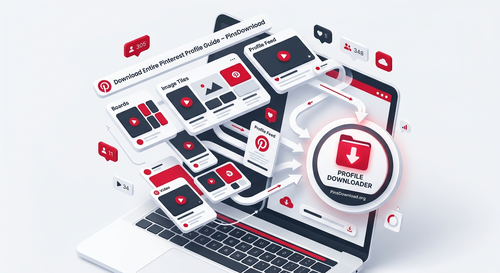
Can You Download an Entire Pinterest Profile? Here’s How It Works
Yes, you can download every public pin from a Pinterest profile at once, as long as the profile itself is public and you’re using a tool built to handle profile-level links, not just single pins. It works by reading the profile’s link, collecting every public pin across all of that account’s boards, and giving you real files instead of just re-pins.
This is different from saving a single board, since a profile download pulls pins from every board the account has made public, not just one collection.
How Is Downloading a Profile Different From Downloading a Board?
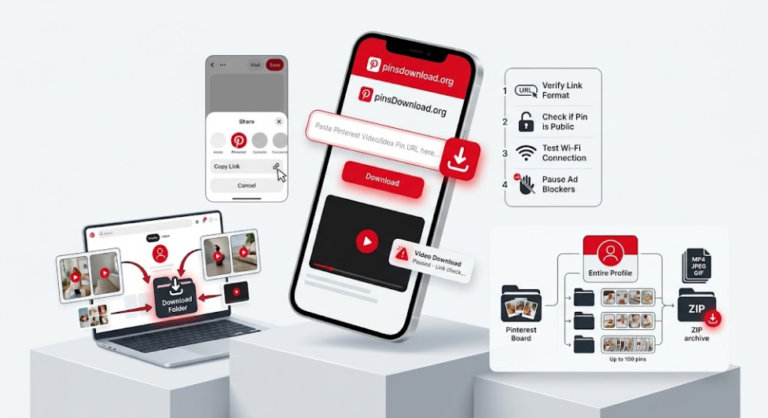
A board is one collection inside a profile. A profile is the whole account, every public board combined. If someone has ten public boards covering recipes, home decor, and travel, a board downloader only grabs one of those at a time, while a profile downloader pulls from all ten in a single request.
This matters most when you’re trying to archive everything a specific account has shared, rather than one particular topic they’ve organized into a board.
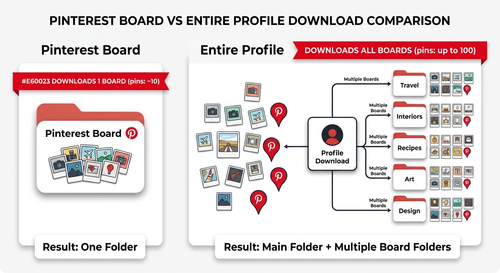
What Actually Gets Included When You Download a Profile?
Every public pin across every public board on that account, spanning whatever mix of media the profile has posted, videos, images, GIFs, Story or Idea Pins, and carousels. Pins that account has saved from other people onto their own boards are typically included too, since they’re now part of that profile’s public boards, not just pins the account created themselves.
What Won’t a Profile Downloader Be Able to Reach?
Anything the account owner has set to private stays private. That includes secret boards, which don’t show up publicly at all, and any board a person has specifically restricted, even if the rest of their profile is public. A downloader respects those same boundaries Pinterest itself enforces, it doesn’t bypass account privacy settings.
Is There a Limit to How Much of a Profile You Can Download at Once?
Yes, most tools cap how many pins they’ll process in a single request, similar to how board downloads work. PinsDownload allows up to 100 pins per request, which covers most personal profiles in one go. Larger, more active profiles with hundreds of pins across many boards may need a couple of requests to get everything.
Does This Work With Country-Specific Pinterest Links?
Yes. A profile link from a regional Pinterest domain, like uk.pinterest.com/username or in.pinterest.com/username, works the same way as a standard pinterest.com/username link. The country prefix doesn’t change what content is available, only which regional version of the site generated the link.
Why Would Someone Want to Download a Whole Profile?
Content creators archive their own profile before switching platforms or rebranding, so nothing gets lost in the transition. Designers and researchers save a competitor or inspiration account’s public work for offline reference during a project. Family or personal accounts get backed up before someone deletes an old profile they no longer use. Small businesses download their own profile periodically as a simple backup, separate from whatever Pinterest itself retains.
Is This the Same as Downloading a Whole Profile as a ZIP?
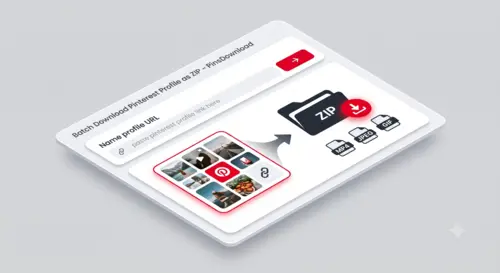
If the tool offers a ZIP option, yes, that’s the most practical way to handle a profile-sized download rather than saving dozens or hundreds of files one at a time. Without a ZIP option, you’d typically get a thumbnail list to download from individually or in a batch, which works but takes longer for a large profile.
Getting Started
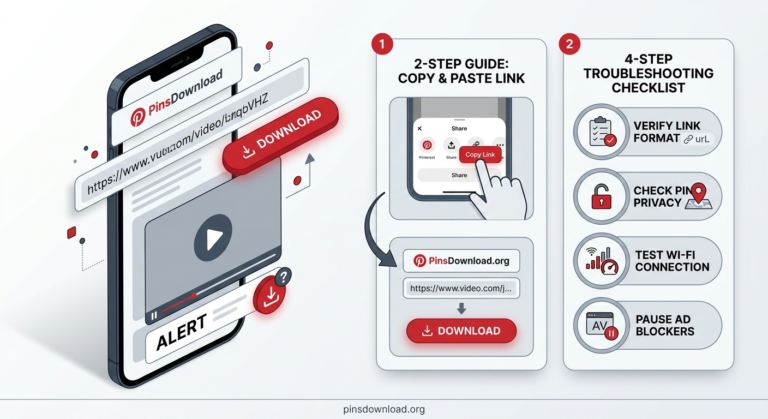
Copy the profile link exactly as it appears in your browser or from the share icon in the Pinterest app. Paste it into the Pinterest Profile Downloader, and every public pin across that account’s public boards will be collected for you to review and download, up to 100 pins per request, with no login required on your end.
Frequently Asked Questions
Can I download someone else’s Pinterest profile?
Yes, as long as their profile and boards are set to public. Private accounts and secret boards can’t be accessed by any downloader.
Does downloading a profile include pins they’ve saved from other people?
Yes, any pin sitting on one of that account’s public boards is included, regardless of who originally created it.
Is there a difference between downloading a profile and downloading a board?
Yes, a board is one collection, while a profile includes every public board an account has, combined into one download.
Do I need a Pinterest account to download someone’s profile?
No, you don’t need to log in or have an account of your own. You just need the profile’s public link.
What happens if a profile has a mix of public and private boards?
Only the public boards and their pins will be included. Private and secret boards stay inaccessible, exactly as Pinterest intends.