Story Pin vs Idea Pin: What’s the Difference (and How to Save Both)
Story Pins and Idea Pins are the same format under two different names. Pinterest launched this multi-slide, swipeable pin type as “Story Pins,” then renamed it “Idea Pins” later on. Nothing about how the format works changed, only what Pinterest calls it.
If you’ve seen both terms used and assumed they were separate things, that mix-up is extremely common, and it doesn’t affect how you save them.
Why Did Pinterest Rename It in the First Place?
Pinterest introduced Story Pins as a way to compete with the short-form, multi-slide content popular on other platforms at the time. The “Idea Pins” rename came later as Pinterest repositioned the format around inspiration and how-to content specifically, rather than the more general “story” framing. The underlying feature, a swipeable set of slides mixing photos, video clips, and text overlays, stayed exactly the same through the rename.
What Actually Makes Up a Story or Idea Pin?
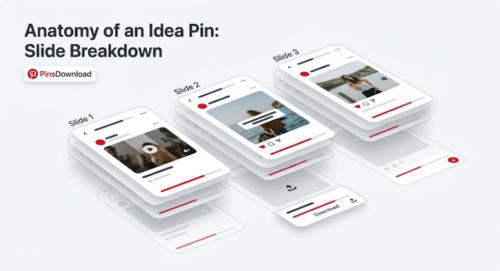
Each one is a set of individual slides, not a single file. A slide can be a photo, a short video clip, or a mix of both with text written directly onto the image. Creators use them for step-by-step content because viewers swipe through in order, similar to a slideshow, which works well for recipes, tutorials, and before-and-after content.
This is different from a standard image or video pin, which is always just one file, and different from a carousel pin, which holds multiple full images or videos side by side rather than a mixed slide sequence with text overlays baked in.
Does the Naming Difference Affect How You Download Them?
No. Since Story Pins and Idea Pins are the same format, a downloader built to handle one automatically handles the other. If you paste a link labeled either way, the tool should read it the same way and pull every slide in the set.
The one thing worth knowing is that both formats download as multiple separate files, one per slide, rather than a single video or image. That’s expected behavior, not a sign that something went wrong.
Can You Download Just One Slide Instead of the Whole Set?
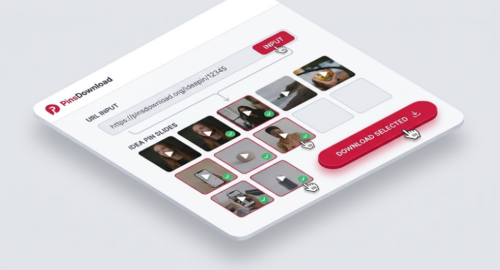
Usually, yes. A good Story or Idea Pin downloader shows every slide as a thumbnail after you paste the link, so you can pick the ones you actually want instead of saving all of them. This matters most when a set has ten or more slides but you only need the two or three that are relevant to what you’re working on.
Will the Text Written on the Slides Be Included?
If the text is part of the slide’s image, meaning it was typed directly onto the photo or video using Pinterest’s own editor, it downloads along with the slide since it’s baked into the visual. Text that Pinterest displays separately as a caption underneath the pin, rather than on the slide itself, won’t be part of the downloaded image file.
What About Video Slides With Sound?
Video slides inside a Story or Idea Pin keep their original audio when downloaded correctly. If a downloaded video slide comes out silent, that usually means the tool converted or re-encoded the file rather than pulling the original source, similar to what can happen with GIFs.
Common Reasons People Save Story and Idea Pins
Recipe creators save step-by-step cooking slides before a source account goes private or gets deleted. DIY and craft accounts get archived slide by slide for reference during an actual project. Before-and-after home projects get saved as a complete set rather than losing the sequence. Workout and fitness slide sets get kept for offline use at a gym with no signal. Study guides and infographic series get saved together so the full sequence stays intact.
Saving Every Slide Without the Guesswork
The Pinterest Story Downloader treats Story Pins and Idea Pins identically, since they’re the same format, and pulls every slide in the set as a real file, whether it’s a photo, a video with sound, or a mix of both. You can download the full set at once or pick individual slides from the thumbnail list.
Frequently Asked Questions
Is an Idea Pin the same thing as a Story Pin?
Yes. Pinterest renamed Story Pins to Idea Pins, but the format itself, a set of swipeable slides, never changed.
Can I download just one slide instead of the entire Story Pin?
Yes, most downloaders show every slide as a thumbnail first, so you can choose which ones to save.
Will the text written on the slides show up in the downloaded file?
Yes, if the text was typed directly onto the slide using Pinterest’s editor. Separate captions displayed below the pin are not included.
Do video slides keep their sound when downloaded?
They should, as long as the tool pulls the original file rather than converting it. A silent video slide usually means it was re-encoded.
Can Story or Idea Pins be downloaded from a private account?
No. Like any other pin type, private or login-only content can’t be reached by a downloader.