Why Do Pinterest GIFs Turn Into Videos When You Download Them?
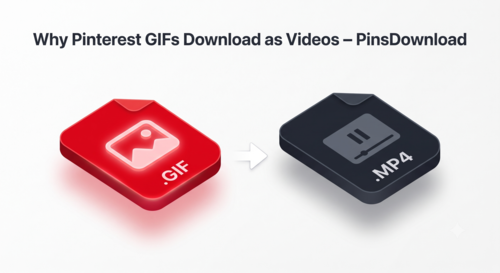
Pinterest GIFs often turn into video files because most downloaders convert them to MP4 on purpose, since video files are smaller and easier for their servers to process. The animation itself isn’t broken, it’s just been changed into a different format that behaves differently once it’s on your device.
If you’ve downloaded a “GIF” that opens as a silent video clip instead of looping automatically like a real GIF, this is almost always the reason.
What’s the Actual Difference Between a GIF and a Converted Video?
A real GIF file loops on its own the moment it opens, in a text message, a slideshow, a website, or an image viewer, with no play button and no sound. An MP4 video needs to be played, usually has a visible play button, and may or may not loop depending on where you’re viewing it.
Pinterest stores animated pins as actual GIF files behind the scenes. When you download through a tool that reads the pin’s real source file, you get that same native GIF back. When a tool re-encodes the file to save space or bandwidth on its end, you get a video version instead, and it stops behaving like a GIF anywhere you use it.
Why Would a Downloader Bother Converting the File at All?
GIF files, especially longer or higher-resolution ones, can be considerably larger than an equivalent video clip. Converting to MP4 shrinks the file size, which is cheaper to serve at scale. It’s a reasonable trade-off for a downloader operator to make, but it’s not something most people expect when they’re specifically trying to save a GIF.
The trade-off matters most in three places: messaging apps, where GIFs auto-loop and videos usually don’t, presentations or slideshows built around looping visuals, and older tools like sticker makers or meme generators that only accept genuine GIF files, not MP4.
How Can You Tell If a File Is a Real GIF Before You Even Open It?
Check the file extension after downloading. A real GIF ends in .gif. If it ends in .mp4 or .mov instead, it’s been converted, regardless of what the download button called it. On most phones, opening a real GIF in your Photos or Gallery app will show it animating immediately without a play icon, while a converted video will show a static frame with a play button until you tap it.
Does Converting to Video Lose Any of the Original Animation?
Sometimes, yes. Re-encoding can drop frames, especially on longer loops, which makes the animation look slightly choppier than the original. It can also flatten the color palette on certain GIFs, since video compression handles color differently than the GIF format does. None of this happens if the file is pulled as a native GIF rather than converted.
What Should You Do If You Specifically Need a Real GIF?
Use a downloader that explicitly says it keeps the native GIF format rather than one that just says “download Pinterest GIFs” without specifying the output type. If you’ve already downloaded a converted video version and need the real GIF, going back to the original pin and using a GIF-specific tool is more reliable than trying to convert the video back into a GIF yourself, since converting video to GIF after the fact usually looks worse than the original.
When a Video File Is Actually Fine
Not every situation needs a true GIF. If you’re saving a reaction clip just to rewatch later, or archiving something for your own reference, a converted video plays back the same animation and takes up less storage space. The distinction mainly matters when you need the file to auto-loop somewhere, or when another app or tool specifically requires the .gif format to work at all.
Getting a Real GIF Every Time
PinsDownload’s Pinterest GIF Downloader pulls the original GIF file Pinterest is already serving instead of re-encoding it, so the loop, frame count, and animation stay exactly as the creator posted them. Public GIF pins, pin.it links, and GIFs saved inside boards or Idea Pins are all supported.
Frequently Asked Questions
Will my downloaded GIF still animate after I save it?
Yes, if the tool preserves the native GIF format. If it converts to MP4 instead, the file will need to be played like a video rather than looping automatically.
How do I know if a downloaded file is a real GIF or a converted video?
Check the file extension. A real GIF ends in .gif. If it ends in .mp4 or .mov, it’s been converted to video.
Why does my downloaded GIF look choppier than the original on Pinterest?
This usually happens when the file was re-encoded during download, which can drop frames. A tool that pulls the native GIF file avoids this entirely.
Can I convert a downloaded video back into a GIF myself?
You can, but the result is usually lower quality than downloading the original GIF directly, since you’re compressing an already-compressed file a second time.
Does downloading a GIF from inside a board work the same way?
Yes, GIFs inside a board download the same way as a standalone GIF pin, keeping their native format as long as the tool supports it.