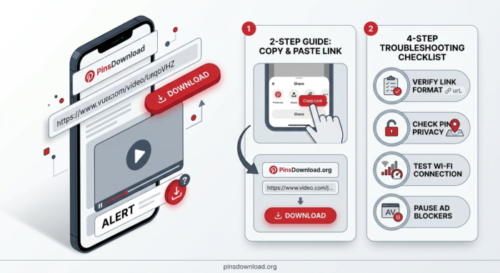
Why Won’t My Pinterest Video Download? 9 Fixes That Actually Work
Most failed Pinterest downloads come down to one of three things: a bad link, a private pin, or a pin that’s already been deleted. The good news is that almost every stuck download has a quick fix, and you don’t need to reinstall anything or clear your whole browser to get there.
If you’ve pasted a Pinterest link and nothing happens, or the download stalls halfway, here’s what’s actually going wrong and how to sort it out.
Did You Copy the Right Link?
The single most common reason a Pinterest video won’t download is a link that didn’t copy properly. Pinterest sometimes copies a shortened pin.it link, sometimes a full pinterest.com link, and on rare occasions it copies a broken or partial URL if you tap too fast.
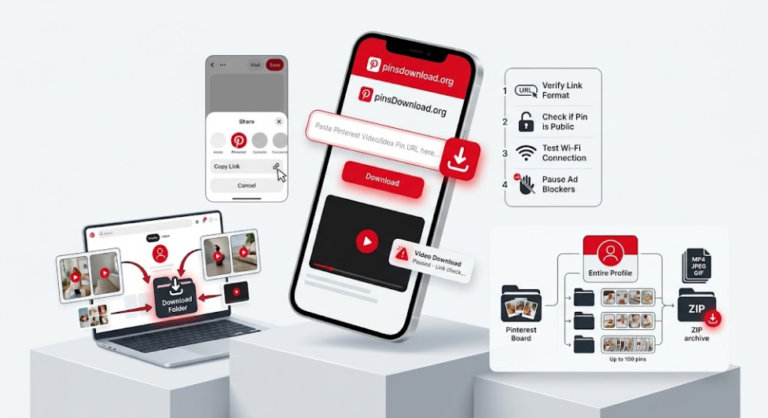
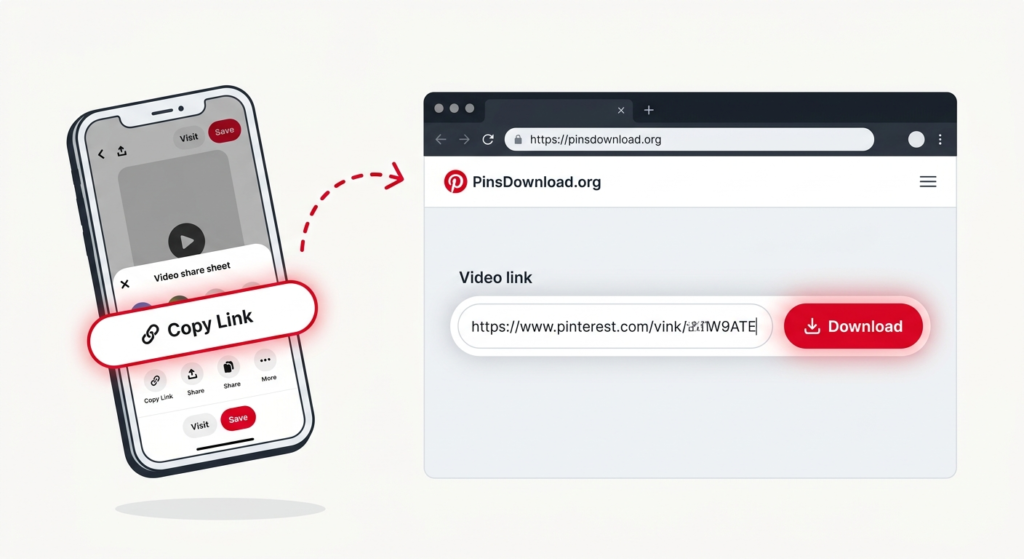
Go back to the pin, tap the share icon again, and choose “Copy Link” one more time. Then paste it fresh into the download box rather than reusing a link you copied a while ago. If the link opens the pin correctly in a new browser tab, it’s a good link.
Is the Pin Private or Login-Only?
A downloader can only pull content that’s publicly visible without logging in. If a pin belongs to a private board, a secret board, or an account that’s been set to private, no tool, including PinsDownload, can reach it. That’s not a bug, it’s how Pinterest’s own privacy settings work.
You can check this quickly: open the pin’s link in an incognito or private browser window. If you can see the video without logging in, it’s public and should download fine. If Pinterest asks you to log in first, the content is private.
Has the Pin Been Deleted or Moved?
Pins get deleted, made private, or removed by Pinterest for policy reasons more often than people expect. If a pin was saved from someone else’s board and that person later deletes it, the link stops working everywhere, not just in the downloader.
Try opening the link directly in Pinterest. If you get a “Pin not found” page, the content is gone and there’s nothing to recover. If the pin loads normally, copy the link again and try the download once more.
Is It Actually a Video, or Just an Animated Preview?
Some pins that look like videos are actually a slideshow of images with music added, formatted as an Idea Pin. Others are a static image with a short looping preview clip that Pinterest shows in the feed but isn’t the “real” file. If a download keeps returning an image instead of a video, this is usually why.
Open the pin directly on Pinterest and tap it. If it plays as a single continuous video with a play button, it’s a true video pin. If it advances through slides, it’s a Story or Idea Pin and needs a slightly different download approach.
Are You Using a Country-Specific Pinterest Link?
Links like uk.pinterest.com, in.pinterest.com, or ca.pinterest.com are all valid Pinterest domains, just localized to a region. Most modern downloaders, including PinsDownload, handle these the same way as a standard pinterest.com link. If an older tool or browser extension is throwing an error, try swapping the country prefix for plain “www” or “pinterest.com” and pasting that version instead.
Is Your Internet Connection Interrupting the Download?
A download that starts, gets partway through, and then stalls is often a connection issue rather than a Pinterest problem. This shows up more on mobile data than Wi-Fi, especially with larger 4K video files. Switch networks if you can, or wait for a stronger signal, then try the same link again.
Is Your Browser Blocking the Download?
Some browsers, especially on iPhone, ask for permission before saving a file, and if you miss that pop-up or dismiss it by accident, the download can look like it failed when it actually just didn’t get permission to save. Check your browser’s download prompts and site settings, and make sure downloads aren’t set to “always ask” without you noticing the prompt.
Are Ad Blockers or Privacy Extensions Interfering?
Aggressive ad blockers occasionally block scripts that a downloader needs to actually process the video, not just remove ads. If a page loads but the Download button does nothing when clicked, try pausing your ad blocker for that one site and reloading the page.
Is the Pin Simply Too New?
Very recently posted videos can sometimes take a few extra minutes to fully process on Pinterest’s own servers before every version of the file is available. If a pin was posted seconds ago, give it a little time before assuming the downloader is at fault.
Quick Checklist Before You Give Up
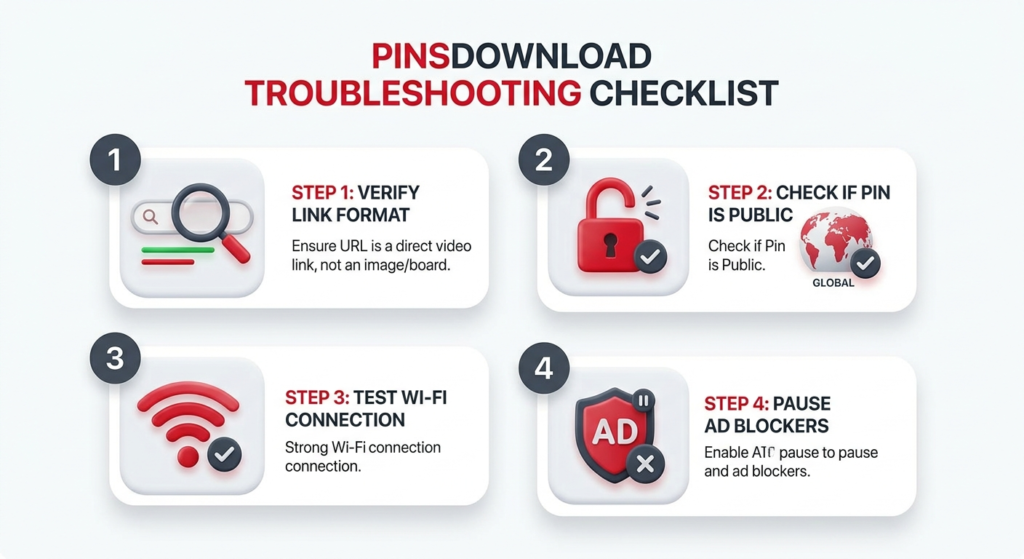
Recopy the link straight from Pinterest. Open the link in a private browser window to confirm it’s public. Confirm it’s a real video, not a Story or Idea Pin. Try a different network if the download stalls partway. Pause ad blockers just for that page.
Once you’ve ruled these out, paste the link into the Pinterest Video Downloader and it should process normally. Public pins, pin.it links, and both HD and 4K sources are all supported, with no login required.
Frequently Asked Questions
Why does my Pinterest download say 0% forever?
This usually means the link didn’t copy correctly or the connection dropped mid-request. Recopy the link fresh from Pinterest and try again on a stable connection.
Can I download a video from a private Pinterest account?
No. If the pin needs a login to view, no downloader can access it. This is a privacy restriction Pinterest applies at the account level, not something a tool can work around.
Why did I get an image instead of a video?
The pin is likely a Story or Idea Pin rather than a standard video. These save as a set of slides instead of one video file.
Does it matter which Pinterest domain the link uses?
No. Country-specific domains like uk.pinterest.com or in.pinterest.com work the same as a standard pinterest.com link.
Will the video lose quality if the first attempt fails?
No. A failed attempt doesn’t affect the file itself. Once the link and connection are sorted, the video downloads at its original source quality.