How to Download an Entire Pinterest Board Without Losing Quality
You can save a full board at its first quality. Use a tool that pulls the source file. Such a tool never grabs a small preview. The quality loss most people run into doesn’t come from Pinterest itself. Some tools cause this loss. They shrink pins or shoot the screen. They never grab the real file.
You may save a board for a wedding or a home project. Later the images look soft or grainy on a big screen. This is the reason. You can avoid it with ease.
Why Do Downloaded Boards Sometimes Look Blurry?
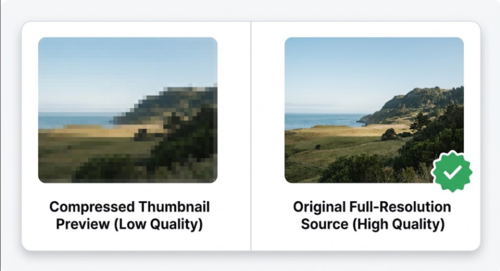
Most quality loss happens at one of two points. Some tools grab a tiny preview. They skip the full image Pinterest serves. Other tools squeeze the file on its way to your phone. They do this to save their own server space.
Pinterest stores images at a high size. Camera pins and design tool pins look sharp. A good tool reads the real file of the pin. It skips the small preview in the grid. It hands you the same size Pinterest holds.
Does Downloading a Whole Board Work Differently Than a Single Pin?
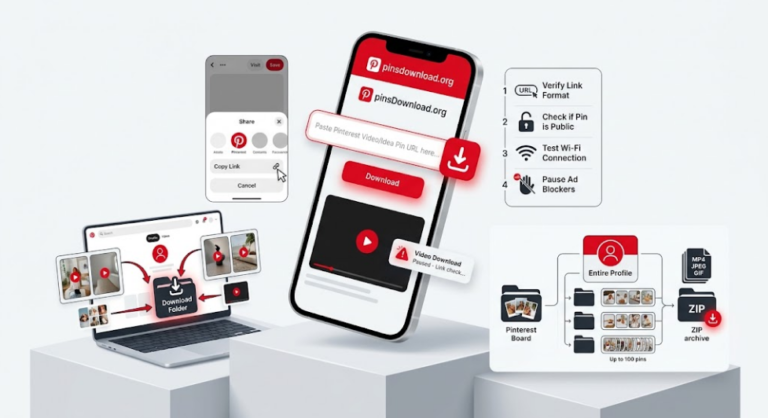
Not really, it just happens at scale. The Pinterest Board Downloader reads each pin link in the board. It works in the background. It then shows all files together. You never copy and paste 40 links by hand. Each file keeps its full quality. It matches the file you get from a single pin save.
Watch one thing. A good tool shows a small preview first. It fetches the real file only when you tap download. This two step path keeps bulk saves fast. It never feels slow or one by one.
How Many Pins Can You Actually Download at Once?
This varies a lot by tool. Some tools cap one request at 16 or 50 pins. A board with 120 pins then takes three trips. PinsDownload takes up to 50 pins in one request. Most boards with 50 pins or fewer finish in one go. You save each file with its own download button.
Does It Matter If the Board Mixes Videos, Images, and GIFs?
A mixed board should keep its quality too. The tool must treat each file type right. It must never force all files into one format. Videos stay as video files at full size. GIFs stay live and moving. Images come as JPG or PNG files. No tool adds extra squeeze.
You may build a recipe set or a DIY project board. Such boards mix photos and short clips. Pick a tool that keeps all three file types as they are. A good tool never forces all files into one type.
What About Boards With Sections?
Pinterest lets people organize a board into sections, essentially folders within the board. A good board tool sees each pin in each section. You paste the main board link. It never stops at the loose pins. Some pins may seem lost after a download. Check the board sections. Pins often hide in a section you missed.
Real Reasons People Save Whole Boards
Brides save wedding boards early. A venue or a seller may change plans later. A board may also go private near the date. Owners archive home boards for builders. A builder sees the exact idea photos. He needs no Pinterest login. Cooks back up recipe boards early. A food blogger may delete old posts in a site redesign. Designers save work boards for offline shows. They use them in client meets and print work. The Pinterest app does not fit those jobs well.
In each case, you save a board to keep it as it looks on Pinterest. So quality counts as much as ease.
Getting the Best Results
Scroll to the bottom of the board first. Pinterest loads pins as you scroll. PinsDownload sees only the pins loaded so far. If you skip this step, you get half a board.
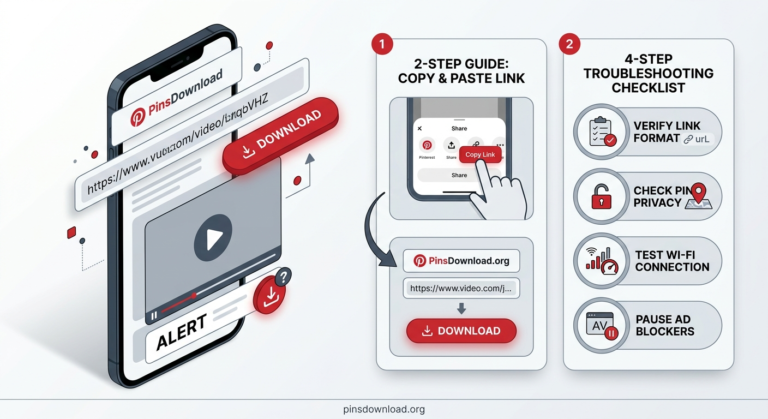
Paste the board link just as it sits in your address bar. A country link works too. An example is uk.pinterest.com. Let the tool make small previews first. You can drop any file you do not need. Then you save the rest. Each file keeps the size Pinterest lists for it. It adds no extra squeeze.
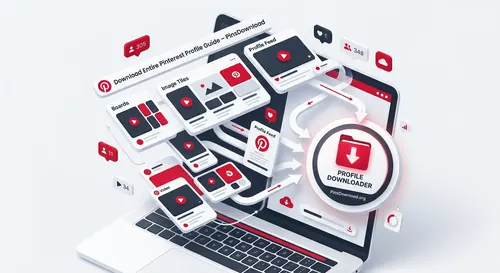
The Pinterest Board Downloader takes up to 50 pins in one request. It keeps images and GIFs in their own format. Video pins in a board are skipped, so save a video pin on its own with its own link. It works with public boards. It also reads boards with sections. It accepts country domain links too. You may want all boards on one profile. Use the Pinterest Profile Downloader for that job.
Web tools work on public boards only. A private board needs a browser add on. The add on runs inside your logged in Pinterest session.
Frequently Asked Questions
Can I download an entire Pinterest board in one go?
Yes. Most board tools save a whole board at once. Each pin on it must be public. The board must fit in one request. Some tools split bigger boards into chunks.
Will the downloaded images be full quality or compressed?
That depends on the tool. A good tool pulls the first file Pinterest stores. Your images match the size you see on the open pin. Avoid tools that serve up thumbnails or re-encode files.
What if my board has videos and GIFs mixed in with images?
A solid board downloader handles all three. Videos come down as video files at full size. GIFs keep their motion. Images stay JPG or PNG. The tool adds no extra squeeze.
Can I download a board that has sections?
Yes, if the tool supports it. A good board tool sees each pin in each section. You only paste the main board link. Check the board sections. Pins often hide in a section you missed.
Is there a limit to how many pins I can download at once?
Most tools cap a single request somewhere between 16 and 50 pins. PinsDownload takes up to 50 pins in one request. Most boards with 50 pins or fewer finish in one go. Larger boards need a few more requests.
Do I need to scroll to the bottom of the board first?
Yes. Pinterest loads pins as you scroll. A tool sees only the pins loaded so far. Scroll to the end first or you get half a board.
Can I download a private Pinterest board?
A web tool cannot. It only reads public boards. Only you can see a private board. Use a browser add on in that case. Stay logged in to Pinterest in the same browser.